Why Is My DMARC Failing? (Reasons + Fixes)
SanitizeEmail•24 Feb 2026•5 min Read
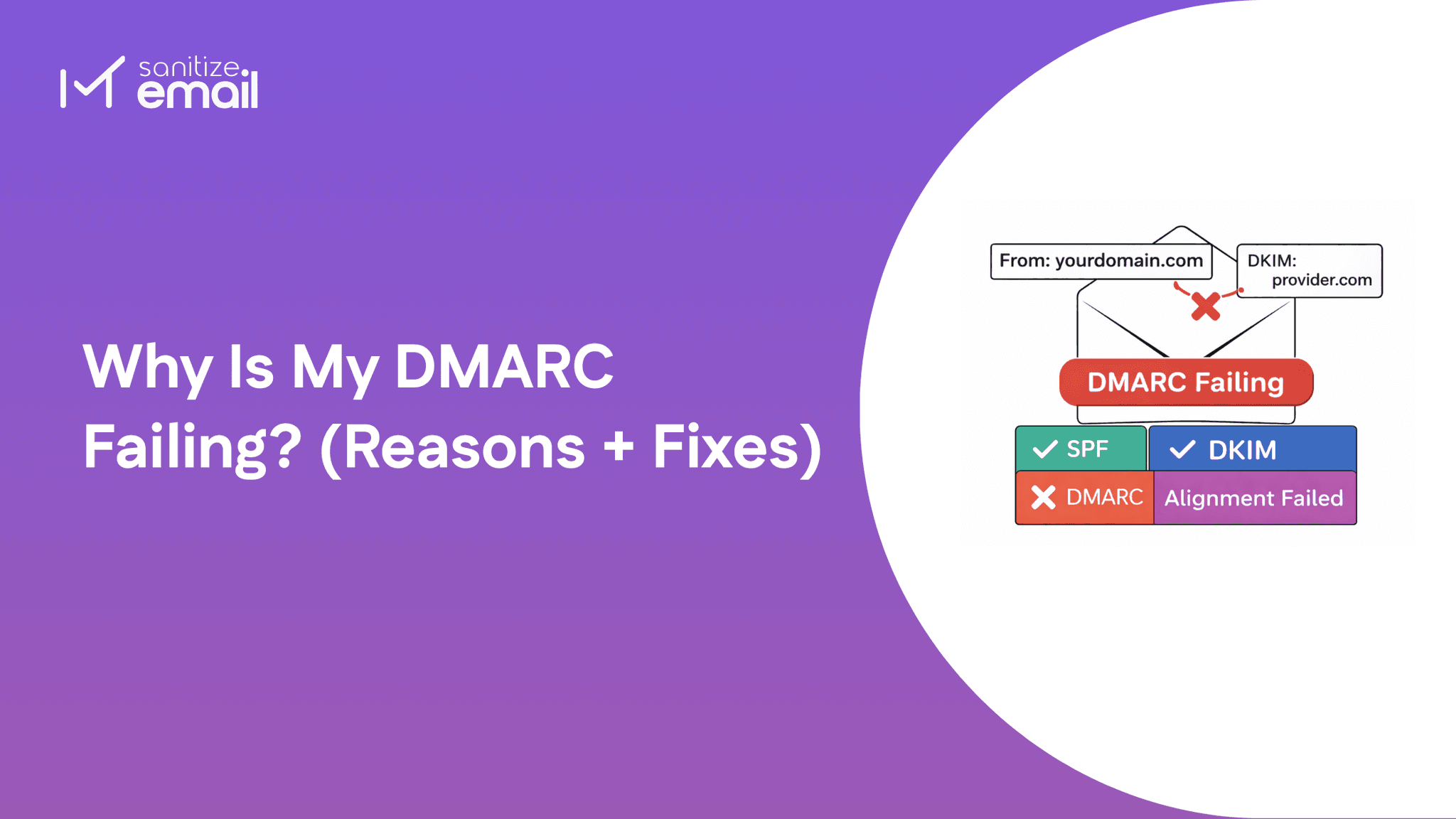
You set up DMARC- but emails are still failing authentication, landing in spam, or getting rejected outright. Something in your configuration is broken, and generic guides aren't helping you identify the issue.
This guide breaks down every real reason DMARC fails, with a step-by-step fix for each one. But first - run your domain through our free DMARC checker to instantly see your current record, policy status, and alignment configuration before we dive in.
DMARC failure doesn't simply mean your email was rejected. It means your email failed an identity verification check - specifically, the receiving mail server couldn't confirm that the domain in your From header is genuinely authorized to send that email.
Both conditions must be satisfied. This is where most people get confused - SPF and DKIM can individually pass, but if neither authenticated domain aligns with your From header, DMARC still fails.
| Scenario | SPF | DKIM | DMARC Result |
|---|---|---|---|
| Both pass + at least one aligned | ✅ | ✅ | ✅Pass |
| SPF fails, DKIM passes + aligned | ❌ | ✅ | ✅Pass |
| Both pass, neither aligned | ✅ | ✅ | ❌Fail |
| Both fail | ❌ | ❌ | ❌Fail |
The third row is the most important - and the most misunderstood. Your emails can pass SPF and DKIM authentication and still fail DMARC purely because of a domain alignment mismatch.
Use our DMARC checker to instantly confirm whether your current record has alignment properly configured before troubleshooting further.
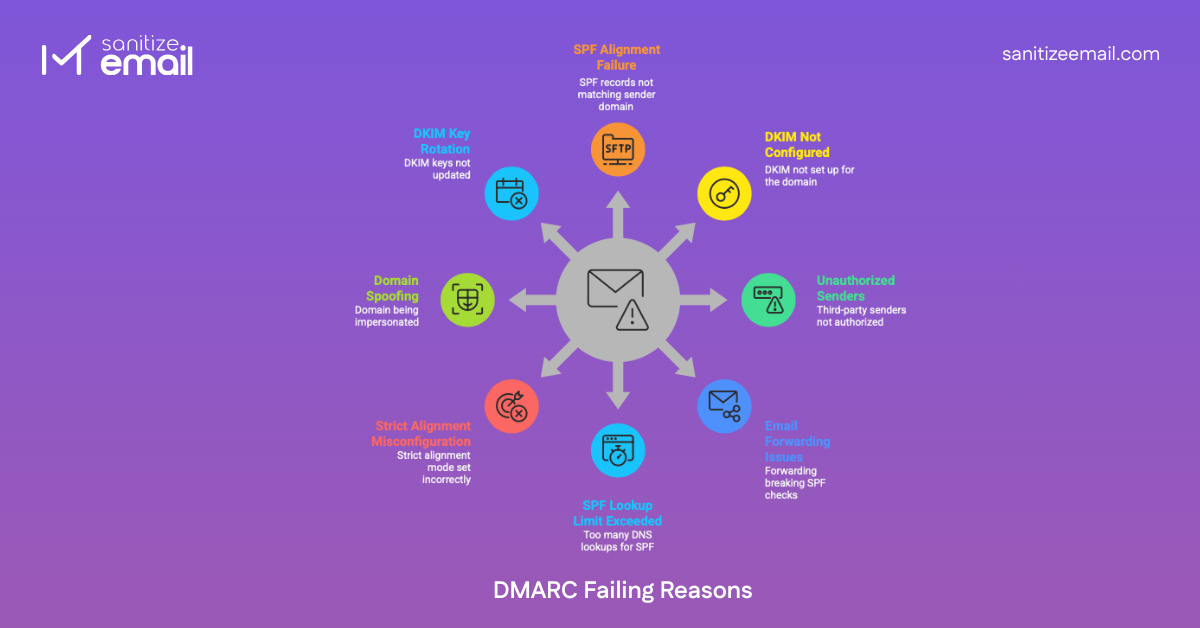
SPF alignment failure is the single most common reason legitimate emails fail DMARC - and the most misunderstood one.
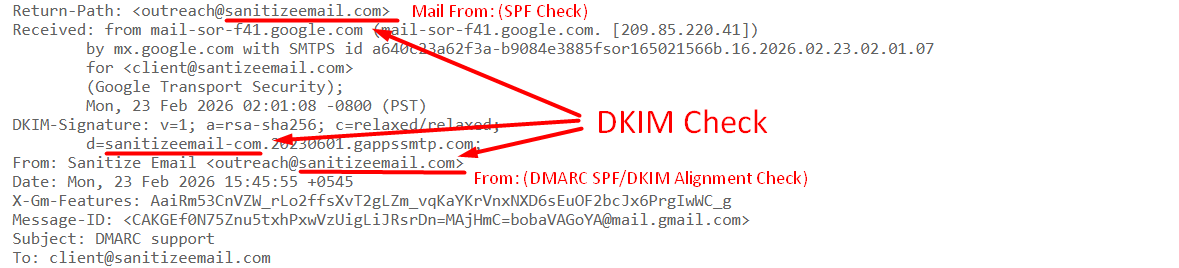
Here's why it trips people up: SPF can pass authentication and still cause DMARC failure.SPF passing only confirms that the sending IP is authorized. DMARC then takes it one step further - it checks whether the domain in the Return-Path header (the domain SPF authenticates) matches the domain in your visible From header.
If those two domains don't match, DMARC fails. Even if SPF passed.
Real example:
How to diagnose it: Open a failed email and inspect the raw headers. Look for the Return-Path field and compare it against your From domain. If they're different organizations or domains, you have an SPF alignment failure.
If SPF alignment failure is the most misunderstood cause, DKIM misconfiguration is the most common cause people completely miss during initial setup.
When you don't configure a custom DKIM signature for your domain, your email provider steps in and signs outgoing emails with their domain instead of yours. The email leaves your server looking legitimate - but the DKIM signature tells the receiving server a completely different story.
What this looks like in practice:
The receiving server sees a From address of yourdomain.com but a DKIM signature from gappssmtp.com. They don't match - DKIM alignment fails, and if SPF alignment also fails, DMARC fails.
How to diagnose it: Open a failed email, view raw headers, and find the DKIM-Signature field. Check the d= value. If it shows your provider's domain instead of yours, this is your problem.
This is the cause that silently breaks DMARC for most growing businesses. Every time you add a new tool to your stack - a marketing platform, a CRM, a helpdesk, a transactional email service - that tool sends emails from your domain but signs them with their own domain by default.
The receiving server sees your domain in the From address, but a completely different domain in the DKIM signature and SPF Return-Path. DMARC alignment fails for every single email that the tool sends.
Common culprits:
| ESP / Tool | Default Signing Domain | What Recipients See |
|---|---|---|
| Mailchimp | mcsv.net | via mailchimp.com |
| SendGrid | sendgrid.net | via sendgrid.net |
| HubSpot | hubspotemail.net | via hubspotemail.net |
| Klaviyo | klaviyomail.com | via klaviyomail.com |
| Zendesk | zendesk.com | via zendesk.com |
How to diagnose it: Check your DMARC aggregate reports for IPs you don't recognize sending from your domain. Alternatively, send a test email from each tool and inspect the raw headers - look for a d= value that isn't your domain.
Every major ESP has a domain authentication or white-labeling setting. Enabling it tells the platform to sign emails with your domain instead of theirs.
| ESP | Setting Name | Where to Find It |
|---|---|---|
| Mailchimp | Domain Authentication | Audience → Domains |
| SendGrid | Domain Authentication | Settings → Sender Authentication |
| HubSpot | Email Sending Domain | Settings → Email → Domains |
| Klaviyo | Dedicated Sending Domain | Account → Settings → Email |
| Zendesk | SPF/DKIM Configuration | Admin → Email → Domain |
Email forwarding is one of the trickiest DMARC failure scenarios because everything was working perfectly - until someone forwarded an email and suddenly authentication broke.
Here's what happens technically: when an email is forwarded, the forwarding server re-sends the message from its own IP address. That IP is almost certainly not listed in your SPF record. The receiving server looks up your SPF record, doesn't find the forwarding server's IP, and SPF fails.
The critical thing to understand here is that forwarding breaks SPF but typically leaves DKIM intact. DKIM is a cryptographic signature attached to the message itself - forwarding servers pass it through untouched as long as they don't modify the message body or headers.
This means:
How to diagnose it: Look at your failed email headers and check for forwarding hops - multiple
Received: headers from different servers indicate forwarding. If SPF shows fail but DKIM shows pass, forwarding is almost certainly the cause.
This is the cause both competitors completely missed - and one of the most common reasons DMARC silently breaks for businesses using multiple email platforms simultaneously.
SPF has a hard technical limit: a maximum of 10 DNS lookups per authentication check. This isn't a recommendation - it's enforced by the SPF specification itself. Exceed it and SPF returns a permanent error (permerror), which cascades directly into DMARC failure.
The problem is that every include: statement in your SPF record triggers DNS lookups - and those included records often contain their own nested include: statements that trigger even more lookups. It adds up faster than most people realize.
How to diagnose it: Count every include: statement in your SPF record and research how many nested lookups each one triggers. If the total exceeds 10, you've found your problem.
This cause is responsible for a frustrating pattern - DMARC was working fine, then someone tightened the configuration "for better security," and suddenly legitimate emails started failing. Strict alignment mode is almost always the culprit.
DMARC gives you two alignment options for both SPF and DKIM:
Most organizations set strict alignment without fully understanding this distinction, and it immediately breaks authentication for any subdomain-based sending infrastructure.
How to diagnose it: Look at your DMARC record for aspf=s or adkim=s tags. If either is present and you're experiencing failures, strict alignment is likely the cause. Compare your From domain against your Return-Path domain and DKIM d= value - even a subdomain difference will trigger failure under strict mode.
This cause is fundamentally different from every other one on this list - because if this is your problem, DMARC is actually working exactly as intended.
When cybercriminals spoof your domain, they send emails that appear to come from your address using unauthorized servers. Those servers aren't listed in your SPF record. They don't have your DKIM private key. So when the receiving server runs authentication checks, everything fails - and DMARC flags or blocks the email accordingly.
The confusion arises when domain owners see DMARC failures in their aggregate reports and assume their own legitimate emails are broken. In reality, they're looking at blocked spoofing attempts - which is precisely what DMARC is supposed to report.
How to diagnose it: This is where your DMARC aggregate reports become essential.
Look for:
If your legitimate emails are delivering fine but your reports show failures from unknown sources, spoofing is the answer - not a configuration problem.
This is the cause behind the most panic-inducing DMARC scenario - everything was working perfectly, and then it suddenly broke overnight without any changes on your end.
DKIM relies on a public/private key pair. Your email provider signs outgoing emails with a private key, and receiving servers verify that signature using the public key published in your DNS. When that key pair changes - either because your provider rotated it automatically or because it expired - the public key in your DNS no longer matches the private key being used to sign emails. DKIM verification fails, and if SPF alignment isn't there to compensate, DMARC fails too.
This happens more often than most people realize because many email providers rotate DKIM keys automatically on a schedule without explicitly notifying you. If your DNS record isn't updated to reflect the new public key, authentication silently breaks.
How to diagnose it:
This is one of the most searched but least answered questions in email authentication and the source of enormous confusion for developers and IT admins alike.
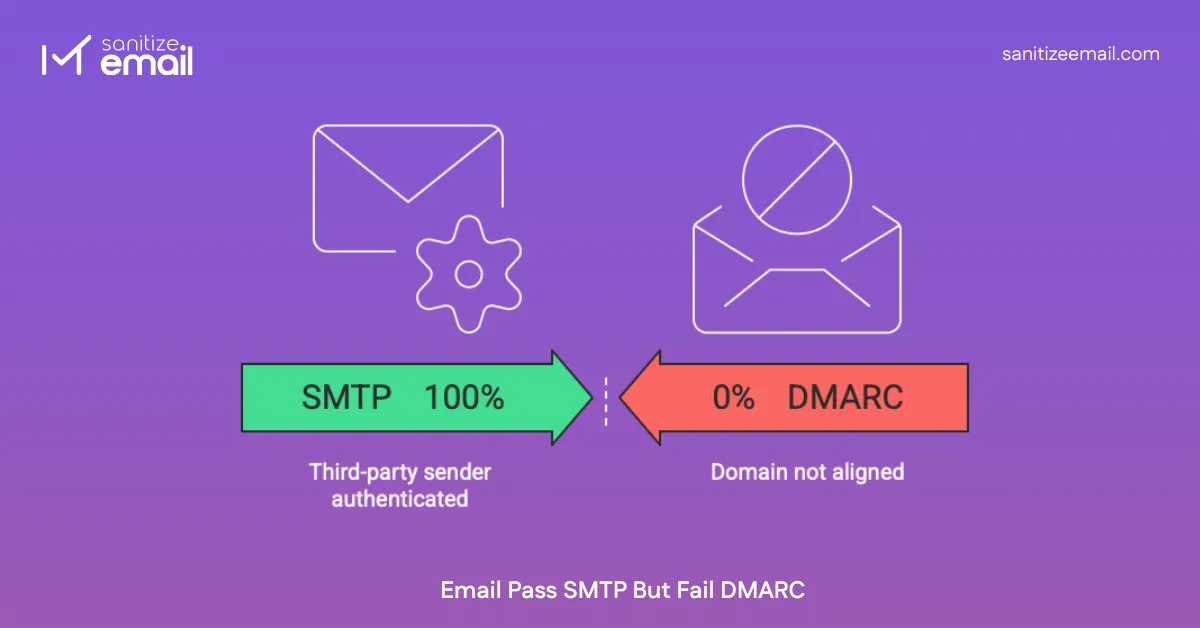
The short answer: SMTP authentication and DMARC authentication are completely separate systems that operate independently of each other. Passing one has absolutely no bearing on passing the other.
Here's the distinction:
| Factors | SMTP Authentication | DMARC Authentication |
|---|---|---|
| What it verifies | That the sender has valid credentials to use the mail server | That the From domain is authorized and aligned |
| When it happens | During email transmission | After the email is received |
| What it checks | Username, password, TLS connection | SPF alignment, DKIM alignment |
| Who performs it | Your outgoing mail server | The recipient's mail server |
| Can it fail silently? | No - transmission fails | Yes - email delivers, but DMARC reports failure. |
Think of it this way - SMTP is the delivery driver showing ID to leave a package. DMARC is a separate background check verifying whether the company name on the van matches the sender on the label. The driver can be fully authenticated and still fail the background check.
Scenario 1: Third-party sender authenticated but domain not aligned Your ESP successfully authenticates with their SMTP server using valid credentials. The email transmits without issue. But because the ESP is signing with their domain instead of yours, DMARC alignment fails on the receiving end completely independent of the successful SMTP transaction.
Scenario 2: Forwarded email re-transmitted successfully, but SPF breaks The forwarding server authenticates with the destination mail server over SMTP and delivers the message successfully. SMTP has no knowledge of the original sender's SPF record. The receiving server then runs its own independent DMARC check - finds the forwarding server's IP isn't in your SPF record, and DMARC fails despite successful SMTP delivery.
Scenario 3: DKIM configured at the SMTP level, but the d= domain doesn't match From header Your mail server uses DKIM to sign emails at the SMTP level - transmission is authenticated and secure. But if the d= value in the DKIM signature doesn't match your From domain, DMARC alignment fails regardless of how securely the email was transmitted.
In every scenario, the pattern is identical - SMTP handles transmission security. DMARC handles identity verification. They don't communicate. A successful SMTP handshake tells you the email was delivered. It tells you nothing about whether DMARC will pass on the receiving end.