Must-Have Email Marketing Tool Types For Your Email Campaign
SanitizeEmail•01 Feb 2026•5 min Read

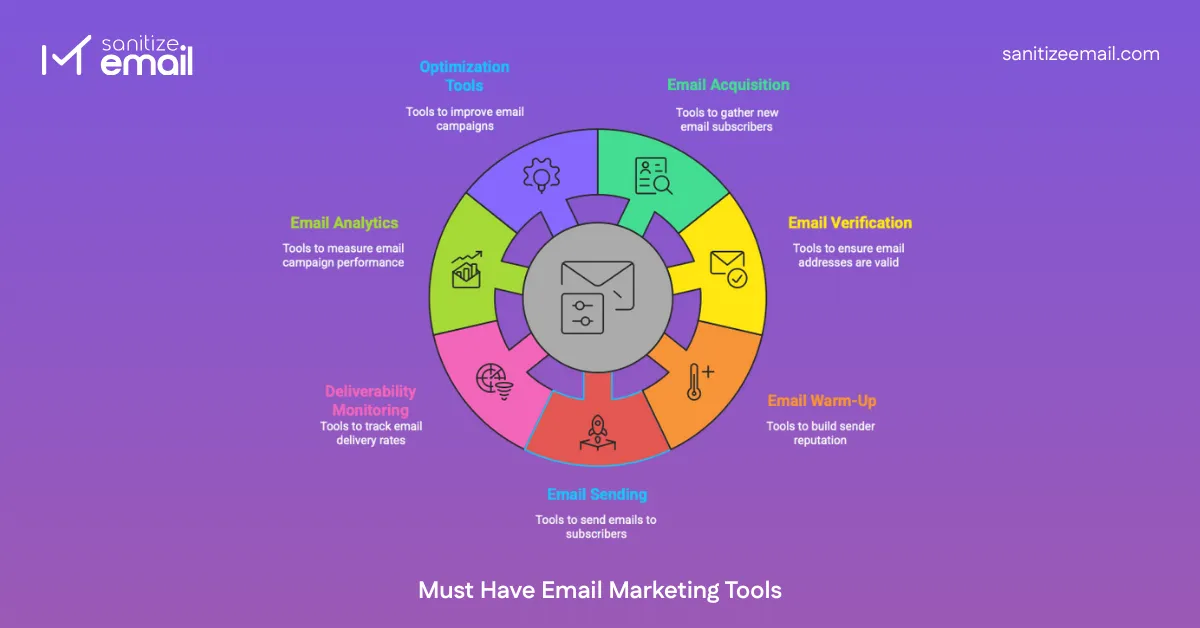
Email marketing requires 7 essential tool types to work effectively. Here's what you need:
| Workflow Stage | Tool Type | Primary Function | Must-Have? |
|---|---|---|---|
| Collect | Email Acquisition Tools | Capture emails via forms or find business contacts | Yes |
| Validate | Email Verification Tools | Check if addresses are valid before sending | Yes |
| Prepare | Warm-Up and Reputation Tools | Build sender trust and configure authentication | Yes |
| Execute | Email Sending Tools | Send campaigns (ESP for marketing, tools for outreach) | Yes |
| Monitor | Deliverability Monitoring Tools | Track inbox placement and sender reputation | Highly Recommended |
| Measure | Analytics and Performance Tools | Track opens, clicks, conversions | Highly Recommended |
| Improve | Optimization and Scaling Tools | A/B test, automate, clean lists | Recommended |
Each tool category below explains what it does, why you need it, and when to use it, with links to detailed comparison guides.
Email marketing follows a step-by-step workflow.
Teams initially collect email addresses via prospecting or opt-in techniques. In order to lower bounces and safeguard the sender's reputation, those email addresses are subsequently validated. Warm-up is used to gradually increase sender confidence when using a new domain or mailbox.
After that, emails are sent using the proper sending tools, either for cold outreach or marketing campaigns. Deliverability and spam placement are tracked after sending to make sure emails arrive in inboxes. Ultimately, performance is examined and refined to enhance subsequent campaigns.
Each tool category below supports one specific step in this workflow.
Email marketing tools are software platforms and applications that marketers use to create, send, test, optimize, and report on their email campaigns. The most recognized type is an email service provider, or ESP, like Mailchimp, Brevo, or Campaign Monitor, which gives businesses the infrastructure to design professional emails, manage subscriber lists, build automated journeys, and deliver personalized messages at scale.
Modern ESPs also integrate with the other technology your business relies on, such as CRMs, so you can automatically pull in customer data to trigger the right message for the right person at the right time. When choosing an ESP, the key is matching features to your actual business needs, since overpaying for capabilities you'll never use is just as costly as underinvesting in a platform that can't support your growth.
But an ESP is just one piece of the puzzle. Email marketing tools also include highly specialized platforms that handle a single stage of the workflow, such as email verification services, inbox placement testers, sender warm-up tools, or subject line generators. Some teams run a lean stack of just two or three tools, while others build out a more comprehensive workflow as their email program scales. The sections below break down all seven tool types, what each one does, and when you actually need it.
Email acquisition tools are used to collect email addresses that will later be used in campaigns. This stage focuses on how email data is gathered, not how it is validated or used afterward.
There are two common acquisition approaches. Opt-in list building collects emails through website forms, landing pages, pop-ups, or lead magnets. Prospecting tools are used to find business email addresses for outreach purposes.
Email acquisition is always the starting point of the workflow. You cannot do email marketing without email addresses. Opt-in tools help you capture emails at the moment of highest interest-when someone actively engages with your content. Prospecting tools enable B2B outreach by finding contact information for potential customers.
Since collected lists often include invalid or risky addresses, this step should always be followed by email verification before sending. Since collected lists often include invalid or risky addresses, this step should always be followed by email verification before sending. This is especially critical for SaaS platforms that rely on real-time signup validation to prevent fake accounts and trial abuse.
Use opt-in list-building tools from day one if you're building an organic email list through your website. They're essential for blogs, e-commerce sites, SaaS products, and service businesses. Use prospecting tools when you need to find business contacts for B2B sales outreach or cold email campaigns.
Email verification tools are used to check whether email addresses are valid before sending any emails. These tools analyze email syntax, domain status, and mailbox availability to identify invalid or risky addresses.
Verification acts as a gatekeeper in email marketing. Skipping this step can lead to high bounce rates, deliverability issues, and damage to sender reputation.
High bounce rates destroy email deliverability. Just a few invalid emails can trigger spam filters and blacklist your domain. Verification tools clean your list before sending, protecting your sender reputation and ensuring emails reach inboxes. A 5% bounce rate is enough to permanently damage your domain. Verification reduces bounces to under 1%.
This step comes immediately after email acquisition and before warm-up or sending. Use verification tools before every campaign and whenever you import new contacts. Even organically built lists need verification; email addresses decay over time as people change jobs or abandon accounts. Regular verification every 3-6 months keeps your list healthy.
For a full comparison of tools in this category, read our guide on Top 10 Email Verification Tools.
Email warm-up and reputation tools are used to build trust with inbox providers, especially when using a new domain or inbox. These tools gradually increase sending activity to establish healthy sender behavior.
Warm-up is commonly required for cold outreach and new sending setups. Even with verified email lists, skipping this step can result in emails landing in spam folders.
Inbox providers like Gmail and Outlook are highly suspicious of new senders. Without a proper warm-up, emails will land in spam regardless of content quality, even with verified lists. Skipping warm-up can result in 80-90% spam placement for new domains. Authentication (SPF/DKIM/DMARC) is now required by major providers; emails without proper authentication are often rejected entirely or sent straight to spam.
This stage prepares the sender environment before large-scale sending begins. Set up authentication immediately when configuring any new email sending domain. Run a warm-up for 2-4 weeks before launching cold outreach campaigns or sending to new lists. Required every time you start with a new domain or IP address. Re-warm if you haven't sent emails in 60+ days.
Email sending tools are used to deliver emails to recipients. The type of sending tool depends on the purpose of the email.

Marketing email platforms are used for newsletters, promotions, and updates sent to subscribed users. Cold email tools are used for one-to-one outreach and sales communication with prospects.
Marketing Email Platforms (ESPs):
This stage is where campaigns are executed, and it relies heavily on the quality of previous steps, such as verification and warm-up.
You literally cannot do email marketing without a sending platform. Marketing email platforms provide the infrastructure, compliance features, and list management needed for permission-based campaigns. Cold email tools give sales teams the ability to reach prospects at scale while maintaining deliverability and personalization.
The choice depends entirely on the use case:
Use marketing email platforms when sending to subscribers who opted in, creating newsletters, building customer relationships, or focusing on design and branding.
Use cold email tools when doing B2B sales outreach, prospecting to cold contacts, running follow-up sequences based on replies, or prioritizing deliverability over design.
Deliverability and spam monitoring tools are used after emails are sent to track where messages are landing. These tools help determine whether emails reach inboxes, spam folders, or are blocked.
They also help identify sender reputation issues and spam-related problems early, allowing teams to take corrective action before campaign performance is affected.
You can’t fix what you can’t measure. Even with proper verification, warm-up, and authentication in place, emails can still end up as spam emails over time due to content issues, recipient complaints, or gradual reputation damage. Monitoring tools surface these problems early, before they permanently impact inbox placement.
If open rates suddenly drop, these tools tell you whether it's a deliverability issue (emails landing in spam) or an engagement issue (emails in the inbox but unopened).
If emails consistently land in spam, a deeper investigation is required.
Start monitoring once you begin sending regular campaigns, especially if doing high-volume email (10,000+ emails/month) or cold outreach. Run inbox placement tests before major campaigns to ensure your setup is working. Check reputation weekly if sending daily. Investigate immediately when open rates decline unexpectedly.
Email analytics tools are used to measure how campaigns perform after delivery. Common metrics include open rates, click rates, replies, and conversions.
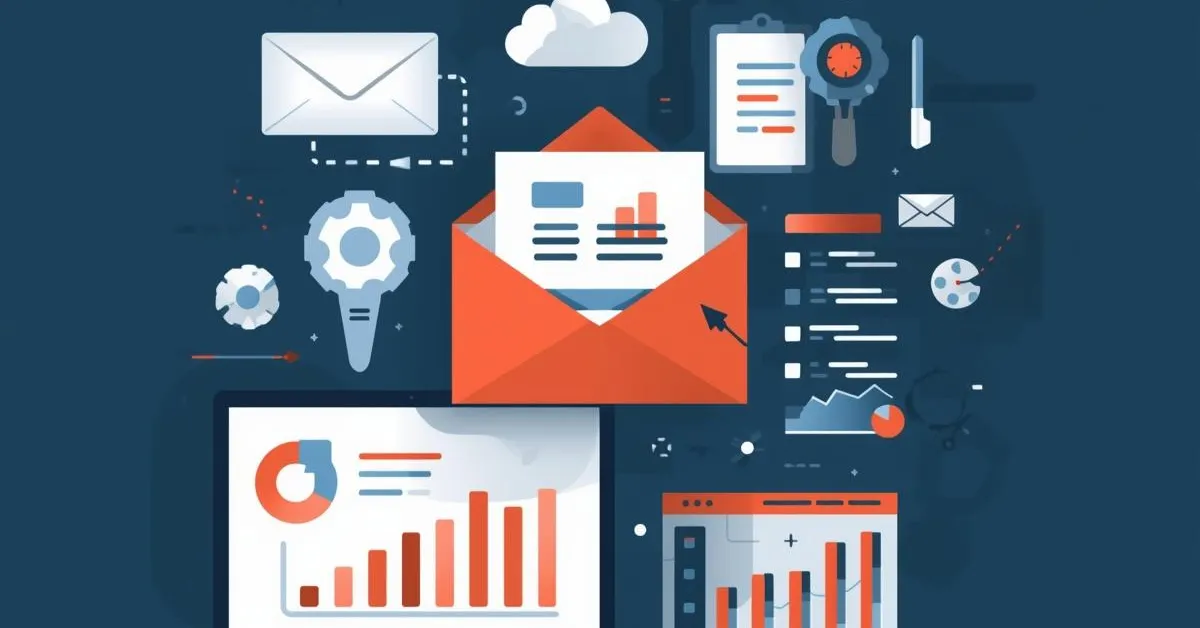
This stage helps teams understand whether campaigns reached the right audience and whether recipients engaged with the content. Analytics does not fix problems by itself, but it provides the insights needed for improvement.
You can't improve what you don't measure. Analytics tell you what's working-which subject lines drive opens, which CTAs get clicks, which segments engage most. Without analytics, you're sending emails blind and missing optimization opportunities.
Even basic metrics provide actionable insights that can double campaign performance. For example, a 2% increase in open rates means 200 more opens per 10,000 emails sent.
Performance data from this step feeds directly into optimization decisions.
Use analytics from day one-even basic ESP analytics are valuable. Review performance after every campaign to identify patterns. If running A/B tests, analytics are essential to determine winners with statistical significance. Track metrics weekly for active campaigns, monthly for overall program health.
Optimization and scaling tools are used to improve future email campaigns based on performance insights. This includes refining targeting, testing variations, automating workflows, and improving overall efficiency.
Optimization closes the email marketing loop. Insights from previous campaigns are applied to strengthen deliverability, engagement, and long-term performance.
A/B testing can improve open rates by 20-50%. Automated workflows generate revenue 24/7 without manual work. Regular list hygiene reduces bounce rates and improves sender reputation. Without optimization, you're leaving money on the table-a single A/B test identifying a better subject line generates compound growth across all future campaigns.
Maintaining proper email hygiene is also essential at this stage to ensure lists remain healthy as campaigns scale.
Start with A/B testing once you have 1,000+ subscribers (needed for statistical significance). Set up basic automation like welcome series and abandoned cart emails immediately. Begin regular list cleaning once you have 5,000+ contacts. Scale to advanced automation and personalization as you grow and gather more performance data.
A single email marketing tool can handle multiple parts of the email marketing process, such as sending emails, basic list management, and performance tracking. This is often sufficient for small teams or early-stage campaigns.
However, no single tool fully covers every stage in depth. Advanced steps like email verification, sender warm-up, and deliverability monitoring often require specialized tools, especially as email volume grows.
In practice, teams start with fewer tools and gradually add specialized platforms as their email programs scale and risks increase.
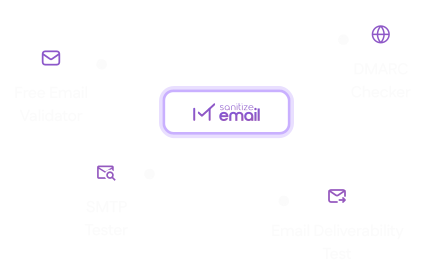
Before investing in a paid email marketing stack, SanitizeEmail offers four free tools that cover the most critical checks in your workflow — from validating individual addresses to testing your domain's sending health.
Free Email Validator: Check whether any email address is valid, active, and safe to send to — instantly. Use this before importing contacts or whenever you need to quickly verify an address without running a full bulk job.
DMARC Checker: Verify that your domain's DMARC record is correctly configured. A missing or broken DMARC record means major inbox providers like Gmail and Outlook may reject or spam-folder your emails entirely.
SMTP Tester: Test whether your mail server is properly connected and responding. Useful for diagnosing delivery failures and confirming your sending infrastructure is working before launching a campaign.
Email Deliverability Tester: Run a full deliverability check on your domain to see how inbox providers score your sending setup. Identifies issues with authentication, blacklisting, and reputation before they impact your campaigns.
These tools are free to use and require no signup, a practical starting point for any team building or auditing their email marketing setup.
Email marketing works best when each step in the workflow is supported by the right type of tool. Skipping steps or using tools out of sequence often leads to deliverability issues and poor performance.
This hub page is designed to help you understand where each tool type fits and guide you to detailed resources when you are ready to explore a specific category in depth.

 Monthly plans starting at