knowledge-base

Step 4: Clean Your List (Remove Duplicates and Invalid Emails)

SanitizeEmail24 Dec 20255 min Read
features image

The Clean List tool helps you prepare a clean list. It removes duplicates, filters out invalid emails, and verifies deliverability based on the validation level you choose. You receive a final cleaned file containing only unique and deliverable email addresses.

What Clean List Does

Clean List runs three major operations on your file:

1. Removes Duplicate Emails

  • Duplicate email addresses are automatically skipped.
  • No credits are charged for duplicates.

2. Cleans and Validates Each Email

By default, Clean List performs a deliverability check, which includes:

  • Syntax validation
  • DNS check
  • DMARC review
  • MX checker

Only valid, properly formatted, and deliverable emails remain.

3. Offers Advanced Validation Options

You can choose stronger verification methods:

  • SMTP Validation
  • DMARC Validation
  • All Validation (deepest cleaning)

This allows you to tailor the cleaning level to your campaign needs.

It also lets you download templates for structured and unstructured data that will help you understand the files that can be uploaded.

Credits and Limits

  • 1 credit = 1 email cleaned
  • Duplicate addresses are skipped and NOT charged
  • You can clean up as many email addresses as your credits.

Step-by-Step: How to Clean Your List

Step 1: Open Clean List

From your dashboard, click Clean List to begin.

clean your email list sanitizeemail

Step 2: Upload Your File

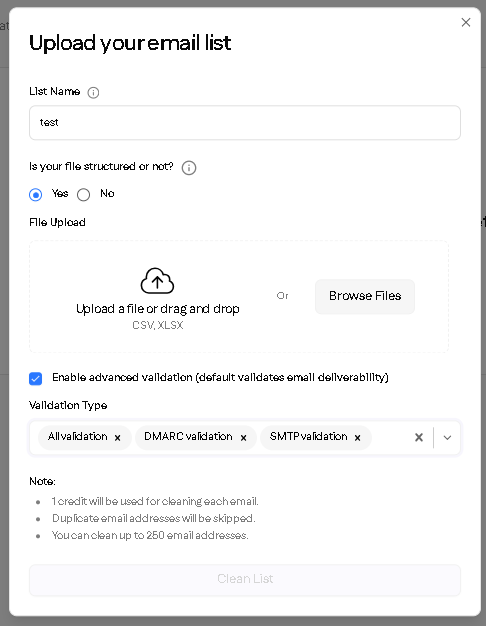
Upload a CSV or XLSX file. The system will automatically scan and prepare your list.

Step 3: Select Your Validation Level

Choose:

  • Default Deliverability Check
  • SMTP Validation
  • DMARC Validation
  • All Validation
upload your email list 

For most users, the default setting is ideal.

Step 4: Start Cleaning

Click Clean List. The system processes each email, removing duplicates and invalid addresses while verifying deliverability.
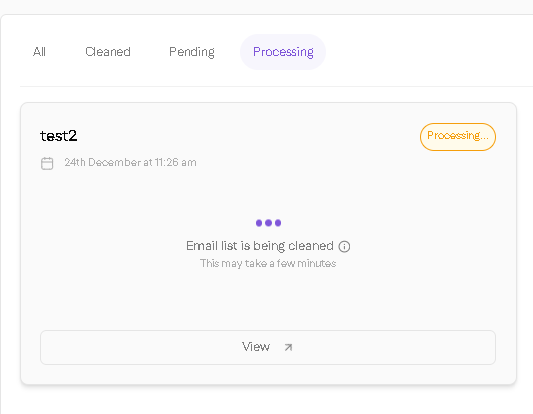
email list cleaning process

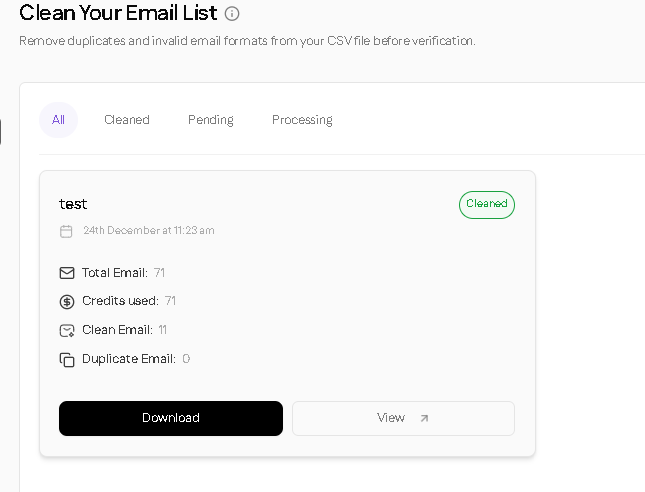
Step 5: Download Your Cleaned List

Once processing is complete:

  • Download the cleaned file
  • Your file will contain only valid, unique, deliverable emails
  • The format remains the same as your upload (CSV stays CSV, XLSX stays XLSX)
download clean email list