knowledge-base

Step 8: Credits & Plans

SanitizeEmail24 Dec 20255 min Read
features image

Manage your account credits, understand usage, and select the subscription plan that fits your needs. This page helps you make the most of your credits while choosing the right plan for your email validation requirements.

1. How Credits Work

Each email validation consumes a credit. Understanding credit usage helps you manage your account efficiently.

  • 1 credit = 1 email validated
  • Bulk uploads consume credits equal to the number of emails in your file
  • Deduplicated emails do not consume extra credits

Important Notes:

  • Credits included in subscription plans (monthly or yearly) reset at the start of each period.
  • Any unused credits in a monthly plan do not carry over to the next month.
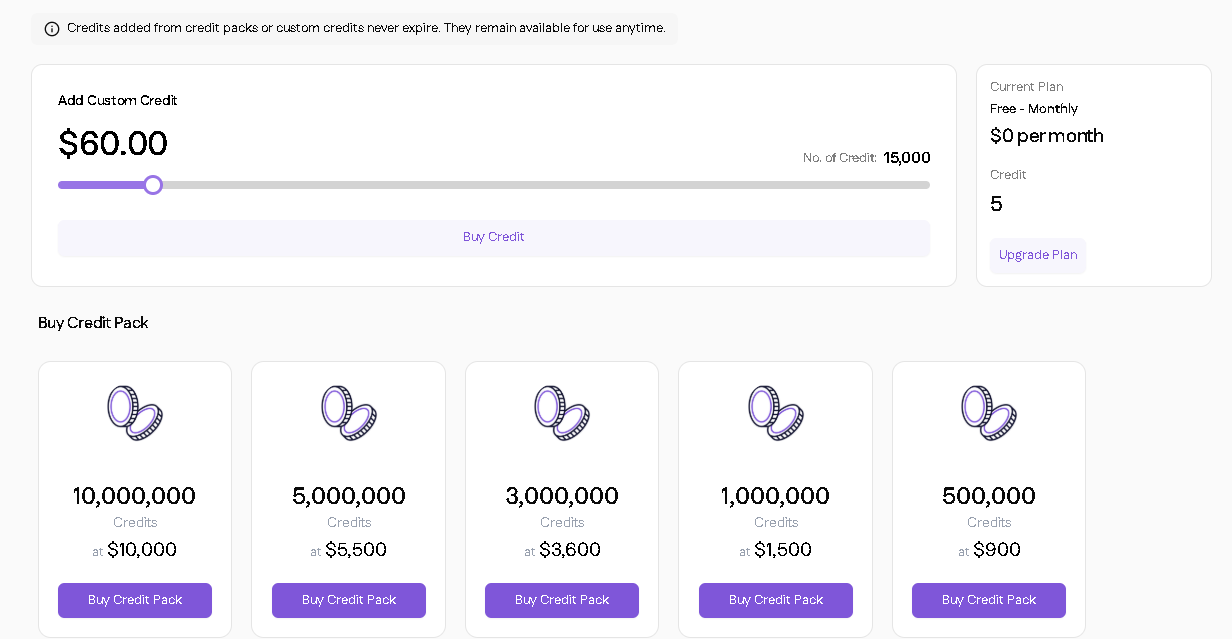
  • Credits purchased separately will not expire and remain available until used.

Tips for Optimizing Credits:

  • Validate only active lists regularly
  • Use the real-time API to prevent invalid emails from entering your database
current credits

2. Monitoring Credits

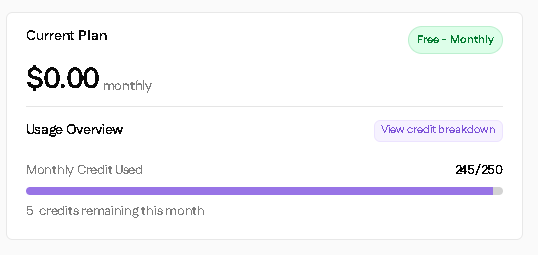
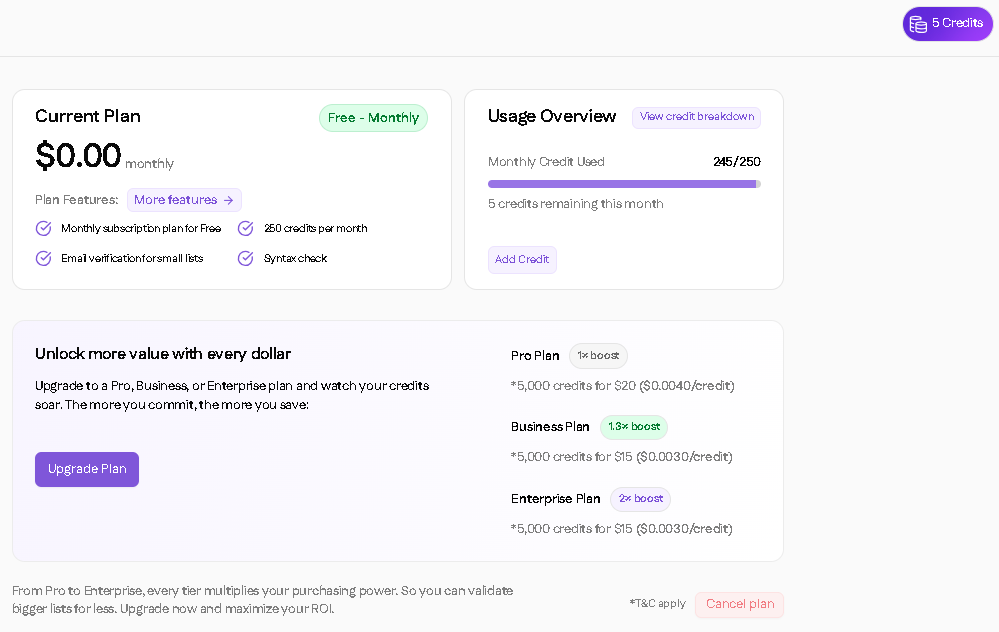
  • Check your remaining credits directly on the dashboard
  • Receive alerts when credits are low
  • Track credit usage history to plan your next upgrade or purchase
monitoring credits

3. Subscription Plans

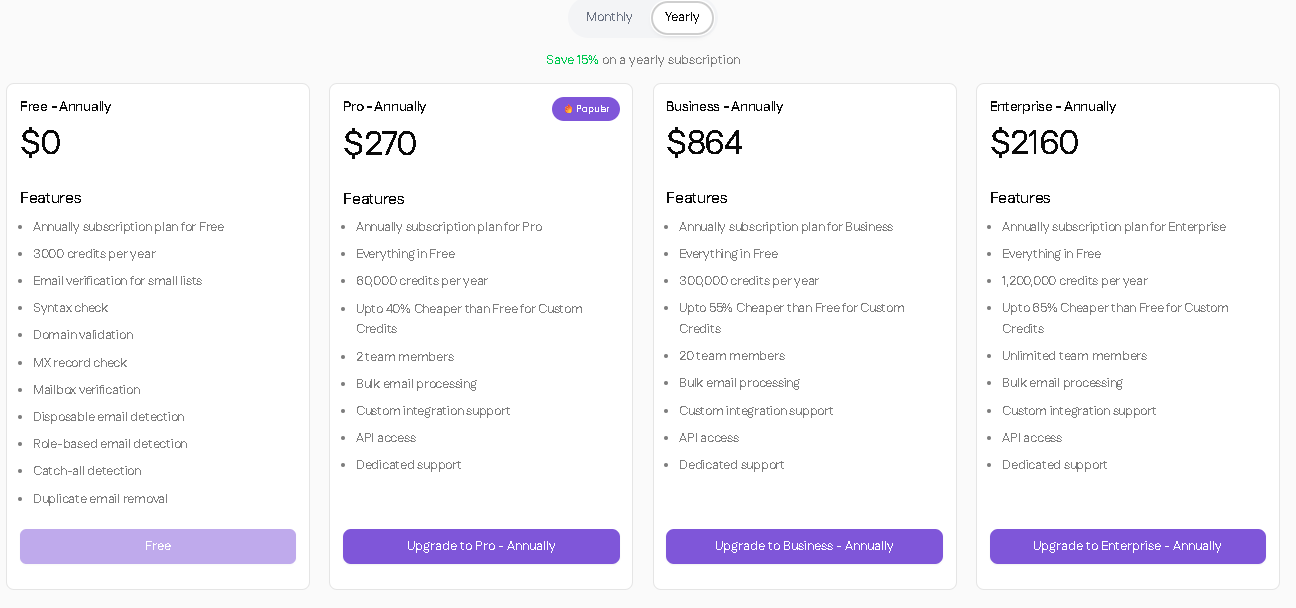
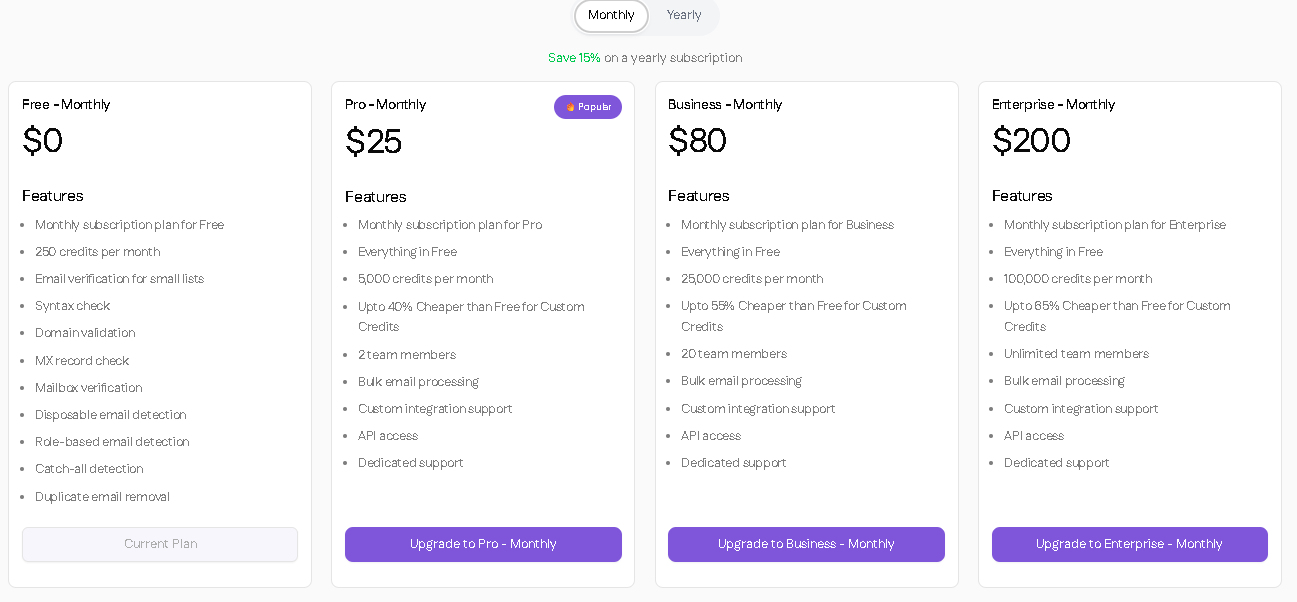
SanitizeEmail offers Free, Pro, Business, and Enterprise plans, available monthly or annually. Plans differ in:

  • Number of credits included
  • Team members allowed
  • Access to advanced features (API, bulk processing, custom integration, support)

Key Reminder:

  • Subscription credits reset monthly or annually depending on your plan.
  • Any unused subscription credits do not carry over.
  • Purchased credits remain until used and do not expire.

Note: For full pricing details, visit the Pricing Page.
monthly plan
yearly plan

4. Upgrading, Downgrading, or Buying Credits

  1. Go to Plan through the Settings in your dashboard
  2. Click Upgrade Plan
  3. Select your desired plan or buy extra credits
  4. Confirm your payment and subscription details

Tips:

  • Choose the plan that matches your usage and team size
  • Buy additional credits if you need more without changing your subscription
upgrade plan

Why This Matters

Understanding how subscription and purchased credits work ensures you:

  • Don’t run out of credits unexpectedly
  • Use purchased credits strategically
  • Avoid confusion around monthly reset of subscription credits